Showing posts with label digital scrapbooking. Show all posts

Wednesday, April 18, 2012

Progress

Here it is, almost May, and I thought I'd do a quick progress check.  We've had a lot of progress. Some things are progressing quickly and others are not.

Normally at this point of our school year, we'd be nearing the end.  Due to our curriculum disaster early in the year and our new review adventure, we are not there yet.  We're just shy of the halfway point in our main curriculum.  (Sonlight Core 5 or whatever they're calling it these days.)  And we're good with that.  It's allowing us to take our time and really enjoy Sonlight's best loved core.  I haven't decided if we'll take somewhat of a year-round approach through the summer.   At any rate, we'll probably be looking at a new core around the New Year.  (Which will be weird without Dick Clark to ring it in for us.  Sad. )

Kayleigh has really been making a lot of progress.  (Not in attitude, mind you. LOL)  She has actually reached the point where she is ready to learn to read.  I had figured that she wouldn't be ready, or interested, until she was 5 at the earliest. But she's taken to her You Can Read units like a duck to water.  She's mastered 8 sight words so far.  I guess I'll have to remember how to teach someone to read.  Mackenzie taught herself so it has really been a while. lol  About 12 years, I guess.

We're starting to do her All About Reading lessons at a quicker pace, as the first half isn't challenging her as much these days.   Plus I got her the Get Ready for the Code books.  Boy is she loving those.  Mackenzie always loved those too.

There has been NO progress in my Project Life book. NONE.  I still haven't finished last year's and I haven't started this year's.  I think I'll save this year's supplies for next year. LOL

There has been progress in my digital scrapping though.  Since we're in the process of building a new house, I've started a digital scrapbook documenting the progress of the house.


Of course, this isn't up to date either. LOL  There are actually walls and a roof on it now.  I need more hours in the day!

How are things progressing at your house?

Photobucket

Wednesday, December 14, 2011

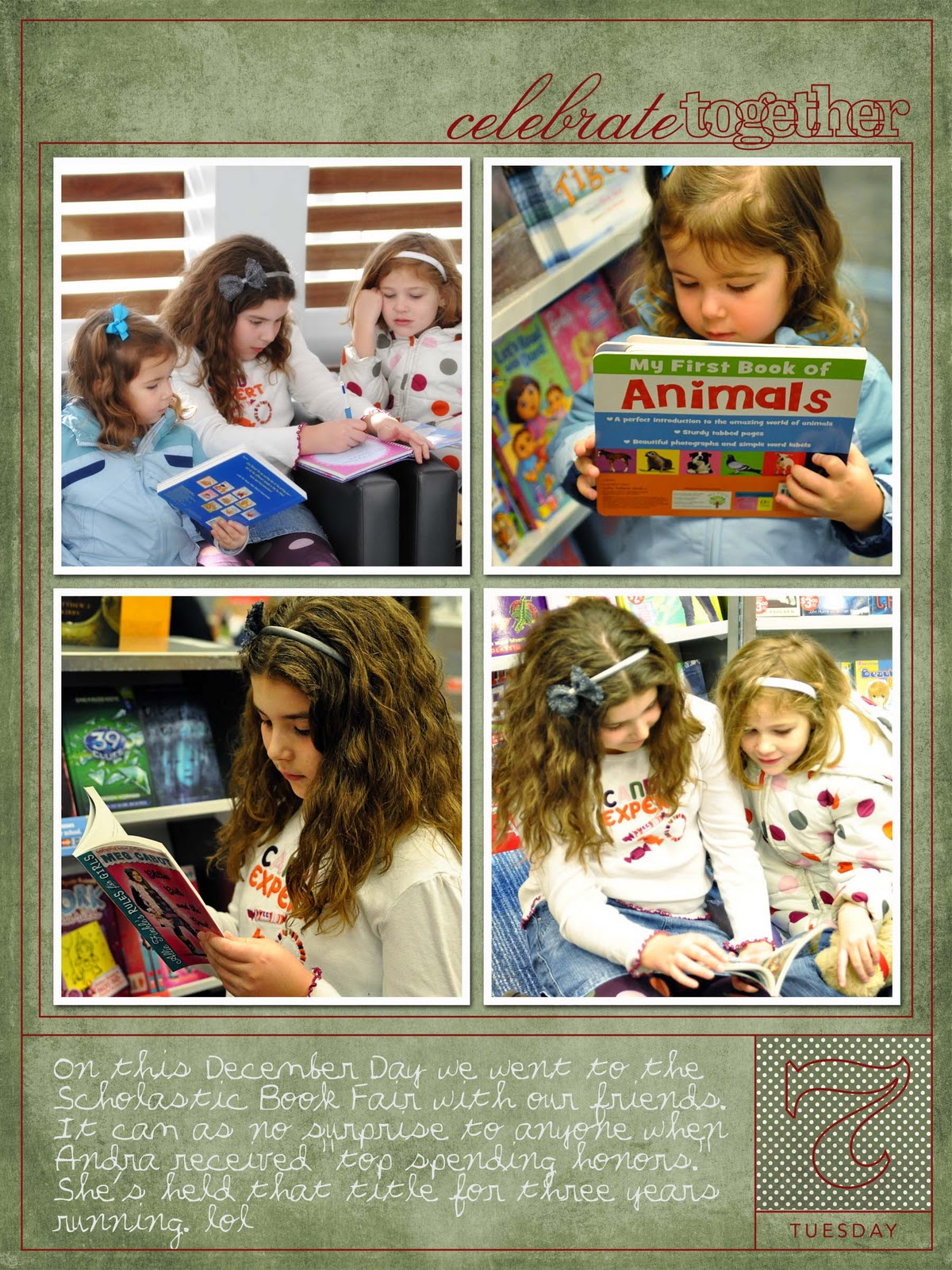
December Daily 2011

Somebody was asking me about about my December Daily book that I mentioned in my last post.  It is the brain child of digital designer Ali Edwards. Basically it’s just a small photo/scrap book documenting the holidays.  You can read about it on her site.   Her books are a cross between traditional scrapping and digital.  Plus they are absolutely fabulous.  I try not to let her awesomeness sway me from attempting this.  I’m not even in the same scrapbooking galaxy as she is. 

I do mine entirely digitally.  This year I am mainly using quick album pages with some tweaking to suit my needs.  I just don’t have the time to do them from “scratch” this year. 

Last year, I printed out the pages myself and made the cover.  It was really cute considering I made it. lol I was also able to add in programs, letters from Santa, tickets, and such.   This year I’m planning on printing it as a shutterfly photo book, so the doodads will have to go into my project life binder.  I’m okay with that.

Here’s what I’ve done so far. 

383209_2815618235269_1403229022_33090458_1703694771_n378632_2824030805578_1403229022_33092172_1935694606_n375408_2831164983928_1403229022_33095274_365800862_n384706_2839293627139_1403229022_33098007_445867726_n379510_2846929218024_1403229022_33100918_1254640295_n388801_2854658051240_1403229022_33104206_1683726151_n384219_2863169224014_1403229022_33107246_2003767272_n388628_2867556893703_1403229022_33109485_106935999_n375350_2874725592916_1403229022_33111720_847361120_n383302_2889261636308_1403229022_33118097_49613121_n388395_2898990839532_1403229022_33121749_1390932103_n377020_2900971089037_1403229022_33122504_1302259501_n381956_2910798934727_1403229022_33125063_1885393873_n

Almost halfway there. Woot!

Sunday, November 6, 2011

Review & Give Away: My Memories Suite Digital Scrapbooking Software


Scrap booking has long been a popular creative outlet for many people.  It's such a fun and creative way to preserve precious family memories.  About 11 years ago I found myself wanting to create beautiful books to document my own families special moments.  I bought the books, papers, elements, tools, everything you can think of.  To date, I've yet to complete a traditional scrap book.  Not one.  Ever.  In 11 years.

Why? I guess one reason is that I'm not that creative or skilled.  Another reason is that it's a lot of set up and clean up if you don't have a dedicated scrapping space.  I don't.  I also didn't find it very forgiving if I made a mistake.  It's hard to unstick the glue once you've stuck something on.  This made the expense even greater.

About a year ago I discovered the world of digital scrap booking.  I was intrigued.  I tried it out.  It has a pretty steep learning curve.  But I liked it.  I'll take the learning curve over the mess any day.  Plus, if I made a mistake I could fix it.  I could reuse my supplies as many times as I wanted.  The benefits are tremendous.  After  a lot of tutorials, I've actually completed several books.  A scrap miracle!

Recently I was asked to review a scrapbooking software program called My Memories Suite Digital Scrapbooking Software.  They had me at "digital scrapping" so I decided to give it a whirl.

What I discovered was a way to scrap digitally that greatly lowered that dreaded learning curve.  This software is really simple to use.  Creating and customizing your album is no more difficult than dropping and dragging or a couple of clicks.  It was so simple that I might even let my 10 year old try her hand at it.


And while it is pretty simple, it still gave me total control over the design.  It has pre-made templates where all I had to do was drop in my photos and add journaling.  Photo layout templates where I could add the pictures but choose my own background and elements.  Or you could build the entire page from scratch.


The program comes loaded with some great digital scrap supplies already plus they offer tons of other kits for purchase.  I was most excited to see that I could easily use scrap supplies from other sources, as I already own a ton.  It was no harder than any other upload.  The layout to the right was made entirely from a kit that I already owned.

You can also convert their kits into files that are able to be used in other programs, such as photoshop or elements.

You can print the pages from your own printer or upload the pages to an outside printer and have them bound into a book.  I was able to upload mine onto Shutterfly, which is my choose for printing my digital albums.


And making albums isn't all that you can do with this program.  You can take your albums and convert them into movie that you can watch on your dvd player or on  your iPod.  How cool is that?  You can also create an interactive digital album and email it to family and friends.  You can even post it on Facebook with just one click.  You can also create cards, posters, trading cards, and calendars.

My Memories has generously offered to give one of my readers the entire program for FREE.  It's normally $39.97, so score!!!


Mandatory Entry:

1)  Visit the My Memories website and take a look around.  Leave me a comment sharing your favorite kit.

Additional Entries~Leave a comment with each entry

2) Like My Memories on FB.  If you do they'll give you a promo code for money off.  Woot!

3) Follow My Memories on Twitter.  http://twitter.com/#!/mymemoriessuite


4) Follow me on twitter and tweet about the give away.  http://twitter.com/#!/prncsstefy

5) Follow my blog.


Contest ends November 15.


Wednesday, January 5, 2011

December Daily: The Finished Product

All my pages are printed, mementos added, and the book is together.  I love it!  It's the first scrapping project I've completed from start to finish.  The only thing I might do differently next year is have the layouts professionally printed.  I'd like them a little crisper and I hate glossy photo paper. LOL

And I'll remember to photograph the right ballet program.  The one in this photo is last years.  By the time I noticed, I didn't feel like retaking the picture.  The 2010 one is in the book.


Now I'm moving on to Project Life.  Which should be even simpler.  Woot!

Saturday, January 1, 2011

December Daily 26-31 The End

Well my first December Daily album is almost complete.  I finished the cover yesterday,  printed all the layouts and have begun to put them in the book.  While not as fabulous as the creators, I'm pleased.  I'm just happy to have completed something.  Finally!!  LOL

I can't wait to tell you about my next photo project, Project Life.


Wednesday, December 1, 2010

December Daily

This month I'm tackling a little project called December Daily.  In short it's a mini-scrapbook album that documents the 25 days leading up to Christmas.  (Or longer if you choose.)

A friend of mine has done it for the last couple of years and I've always admired that keepsake.  So I'm giving it a whirl.  The creator, Ali Edwards, does these elaborate books that are a paper/digital hybrid with all sorts of cute extras.  I cannot do any of that.  I'm not creative and it's too much work.  I don't like too much work.  =o)  So I'm doing a very simplified version so that I'll actually keep up with it.  I'll be going almost all digital and my pages will be very, very, very simple.

Since it's December 1st, I've completed my first page.  Here it is.


Tomorrow we hit the road for NYC for a long week-end.  I'm bringing my laptop so I can amuse myself while the kidlets sleep.  It shouldn't be a problem for me to keep up since I'm going digital.  I can just print them all out when I get home.

Next time you hear from me, I'll be in the Big Apple!  Woot!

LinkWithin

Related Posts Plugin for WordPress, Blogger...